
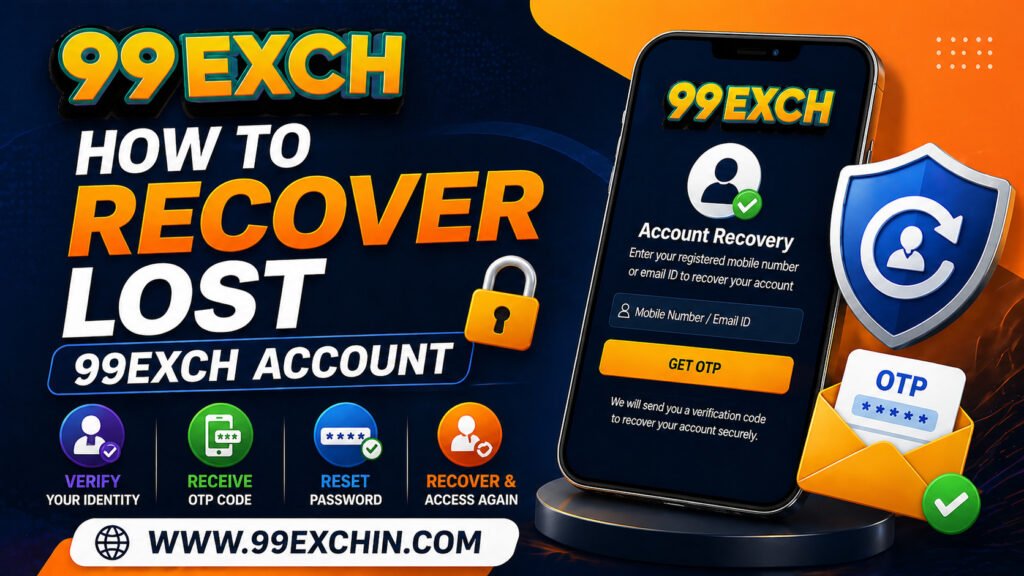
Losing access to your 99Exch account can feel stressful, especially when you want to place bets, play casino games, or manage your funds. Whether you forgot your login details, lost access to your registered mobile number, or are facing OTP issues, account recovery is usually simple if you follow the right steps.
This complete guide will walk you through how to recover your lost 99Exch account, fix common problems, and ensure you regain access quickly and securely.
Why You May Lose Access to Your 99Exch Account
Before jumping into recovery steps, it’s important to understand why users lose access in the first place. In most cases, the issue is not permanent and can be resolved easily.
Many 99exch users lose access due to forgotten passwords, incorrect login attempts, or OTP verification problems. Others may face issues because they changed their mobile number or device. Sometimes, accounts may also be temporarily locked due to multiple failed login attempts as part of security protection.
Understanding the reason behind the issue helps you choose the right recovery method and saves time.
Basic Steps to Recover Your 99Exch Account
The recovery process is designed to be simple and secure. If you still have access to your registered mobile number or email, you can recover your account within minutes.
Start by going to the login page and clicking on the “Forgot Password” or account recovery option. You will be asked to enter your registered mobile number, email ID, or username.
Once you submit the details, the platform will send an OTP to your registered contact. Enter the OTP correctly, and you will be allowed to reset your password. After creating a new password, you can log in again and access your account normally.
This is the fastest and most common way to recover your account.
What to Do If You Forgot Your Password
Forgetting your password is one of the most common issues users face. The good news is that resetting your password is quick and easy.
When resetting your password, make sure to choose something secure but memorable. Avoid using simple passwords like “123456” or your name, as they can make your account vulnerable.
Here are a few important things to keep in mind while resetting your password:
- Use a mix of letters, numbers, and special characters
- Avoid reusing old passwords
- Do not share your password with anyone
- Save your password securely for future use
Once your password is reset, try logging in again carefully without making typing errors.
Recovering Account Without OTP Access
Sometimes, users do not receive OTPs or no longer have access to their registered mobile number. This situation requires a slightly different approach.
If your number is inactive or changed, you will need to contact customer support. The support team may ask for verification details such as your username, previous transactions, or other account-related information.
After verification, they can update your registered details or help you regain access. This process may take a little longer than OTP recovery but is still effective.
It is always recommended to keep your registered number active to avoid such complications.
Handling Account Locked Issues
If you enter incorrect login details multiple times, your account may be temporarily locked for security reasons. This is a safety feature designed to protect your account from unauthorized access.
In such cases, the best approach is to wait for some time before trying again. Avoid repeated login attempts, as this may extend the lock duration.
You can also use the password reset option instead of guessing your credentials. This is a safer and faster way to regain access without triggering security blocks.
Common Problems During Account Recovery
While the recovery process is simple, some users may face minor issues along the way. These problems are usually easy to fix once identified.
Some of the most common recovery issues include:
- OTP not received or delayed
- Incorrect details entered during recovery
- Expired OTP codes
- Weak internet connection affecting verification
If you face any of these issues, try switching your network, rechecking your details, or requesting a new OTP. Most problems are resolved within a few minutes.
Tips to Recover Your Account Faster
Speed matters when you are trying to regain access to your account. A few smart steps can make the recovery process much quicker.
First, always ensure you are entering the correct registered details. Even a small mistake can delay the process. Keep your phone nearby so you can receive OTP instantly and enter it without delay.
Avoid switching between apps while waiting for OTP, as this may cause delays or expiration. If you are using a slow internet connection, switch to a faster network before attempting recovery.
Being prepared and attentive can help you recover your account in just a few minutes.
How to Keep Your 99Exch Account Safe After Recovery
Once you regain access, it is important to take steps to secure your account and prevent future issues.
Make sure to update your password regularly and avoid using the same password across multiple platforms. Always log out after using your account on shared devices.
Here are a few simple practices to keep your account secure:
- Never share your login details with anyone
- Avoid logging in from public or unsafe networks
- Keep your mobile number active for OTP verification
- Enable any available security features
Security should always be a priority, especially when dealing with online platforms.
When You Should Contact Customer Support
There are situations where self-recovery may not work. If you are unable to reset your password, not receiving OTP repeatedly, or facing account-related errors, contacting support is the best option.
The support team can verify your identity and provide solutions tailored to your issue. Most platforms offer quick assistance through live chat or messaging services, making the process convenient.
Do not hesitate to reach out if the problem persists, as professional help can save time and effort.
Avoiding Account Loss in the Future
Prevention is always better than recovery. Taking a few precautions can help you avoid losing access to your account in the first place.
Make it a habit to store your login details securely. Use trusted devices for login and avoid saving passwords on public systems. Regularly updating your credentials also reduces the risk of issues.
Staying informed about how the platform works will help you handle any situation confidently without panic.
Losing access to your 99Exch account may seem like a major problem, but in reality, it is usually easy to fix. Whether it’s a forgotten password, OTP issue, or temporary lock, the recovery process is designed to be user-friendly and secure.
By following the steps in this guide, you can quickly regain access and continue enjoying your experience without interruptions. The key is to stay calm, follow the correct process, and avoid repeated mistakes.
With the right approach, account recovery becomes simple, fast, and stress-free—allowing you to get back to what matters most on 99Exch.
 Get 99exch ID Now